Hi, my name is Tom Smykowski, I'm a staff full-stack engineer. I build and scale SaaS platforms to millions of users, working end-to-end from system architecture to frontend to mobile. On this blog I share what I learn about software engineering, compiler optimizations, and performance enhancements.
What This Article Covers
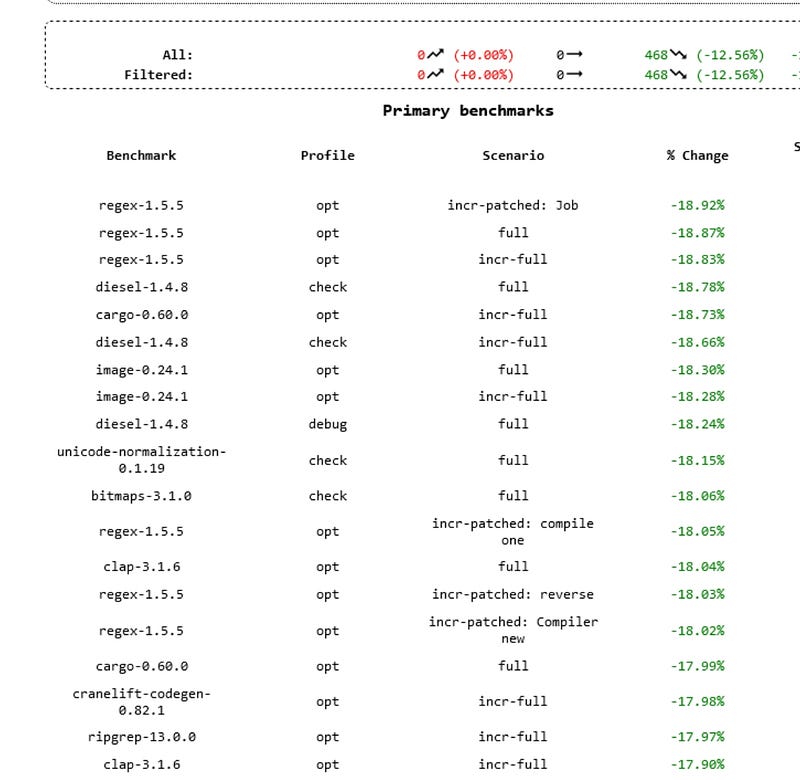
Explore the fascinating journey of how Rust 1.64 achieved a significant performance boost of 10-20% on Windows. This article delves into the key optimization techniques employed, such as profile-guided optimization, inlining, machine code layout, and register allocation. Learn about the challenges and breakthroughs involved in enabling these enhancements specifically for Windows platforms.
Questions This Article Answers
- What specific changes were made to Rust 1.64 to enhance its performance on Windows?
- How does profile-guided optimization contribute to software performance improvements?
- Why was enabling performance-guided optimization on Windows a challenging task?
- What are the broader implications of these compiler optimizations for users and data centers?
- Who was behind the pivotal merge request that led to these improvements?
Length and Time
An in-depth exploration with technical insights and practical implications. Approximately 10 minutes to read.