← Blog

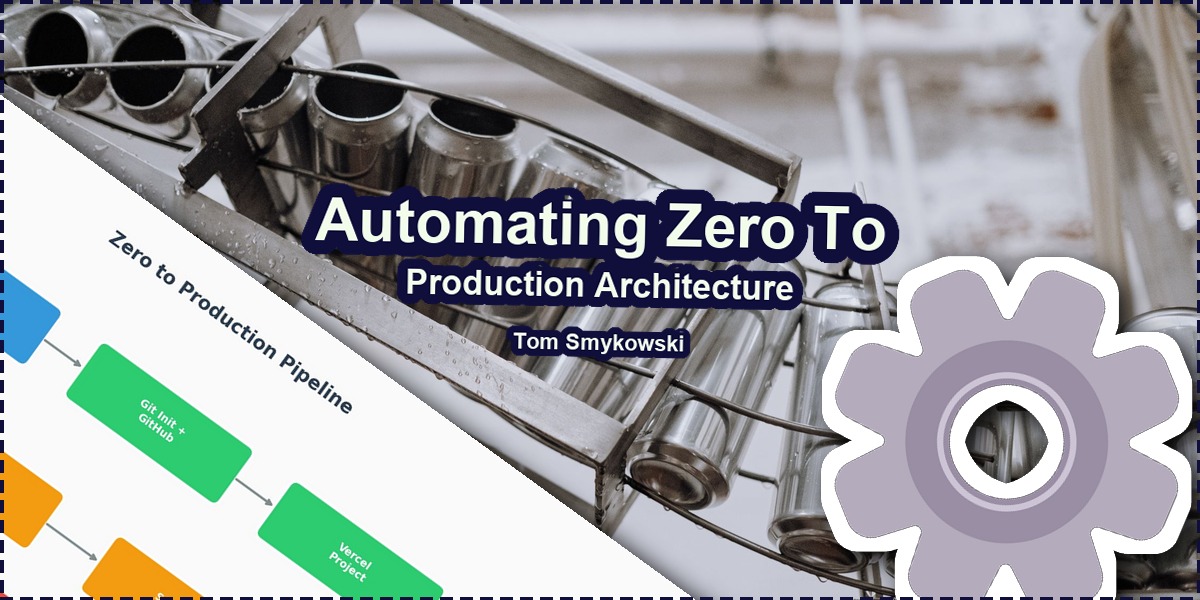
⚙️ Automating Zero To Production Architecture

⚙️ Automating Zero To Production Architecture
Photo by cottonbro studio from Pexels

Everyone has things they don't enjoy doing. You do them because you have to, but they don't bring joy. For me, one of those things is setting up new projects.

What I enjoy is building stuff, collaborating with great people, seeing satisfied users and growing businesses. What dragged me down over the years is that every time I had an idea for some startup I had to do the same exact repetitive steps, even though I'm a software engineer.

What you have to do when you set up a new project is:

  • Buy a domain (I'll skip choosing the domain name, because it's a topic on itself) e.g. mysuperproject.com
  • Create a local folder where you store your code
  • Initialize Git to track changes you make to the code
  • Set up a remote repository on GitHub, a place where you store your code in the cloud
  • Connect these two, so that you can push changes from your computer to the cloud
  • Set up a Vercel project
  • Connect Vercel so it pulls code from GitHub and builds a new production release using CI/CD process
  • Connect Vercel to domain provider (so that the visitor of the domain pulls the app from Vercel, aka DNS)
  • Create a database in MongoDB to store data of your clients
  • Create a project in Stripe to handle recurring payments
  • Set up form and automation in ConvertKit (Kit) to be able to subscribe people to newsletter and send broadcasts
  • Set up project in SendGrid for transactional e-mails
  • Prepare other services you use
  • Grab all API keys, tokens and put them into .env locally, and stage versions and production versions as secrets on Vercel
  • Test if everything works: if domain points to Vercel, if changes from local repo go to remote repo, if CI/CD works, if connection to database works, if Stripe payments work, if SendGrid works, if all other services work

And if something doesn't work, figure out what is wrong and fix it.

Illustration 1: Automated production line
Production machinery. Illustration 1: "Automated Glass Bottle Production Line" by Keegan Checks from Pexels, Pexels License

The whole process is not only long, but repetitive and so boring. Moreover it's error prone. And eventually I've decided, as every respectable engineer, that enough is enough.

Why Not Just Use AI?

And here I have to say, probably, what you could imagine from an AI-first software engineer (that is a software engineer by craft, but using AI for everything that makes sense), that I'd build some AI command and just trigger it so it does all of these things.

And yes, of course that is possible. However, I didn't want only to have it automated, I wanted it to work as fast as possible. Here AI is kind of slow, and expensive. Because you have to first pay for the tokens AI will use to do all of these things, but also it's slow. It has to call a command, read response, send to some data center, run results through millions of parameters, return response, call another tool and so on. And if it does mistakes, and it does, it has to repeat, so it's slow.

Naturally the question that I got as a hypothesis is if it's possible to automate the whole process, by using AI to implement the process, but making the process deterministic, that is, being basically a script with options etc.

Illustration 2: Industrial automation
Robotic assembly. Illustration 2: "Assembling Machines in Factory" by Hyundai Motor Group from Pexels, Pexels License

Building the Deterministic Pipeline

And it is what I did. To prepare the automation I used Opus 4.5 No Thinking, because in my experience this model has a perfect balance between doing things the right way and not overkilling simple solutions. Additionally it has a good balance of price to quality.

For the script itself I've decided to use Python. Usually I use Node.js, but I wanted to try something else for this task, additionally I wanted to try some fancy Python UI libraries for terminal, however, eventually none was good enough. So I just relied on regular terminal menus etc. But this was enough.

Building the script took not that long. From interesting things is that on OVH you can't fully automate domain buying, even if you have a prepaid account. So for that I just choose a domain, and the script checks the price for first year, and after discount. If I'm ok with the choice, it navigates me to the payment page, where I just pay for the domain.

And the script waits until I do it, and when I do it resumes its work. So this part is automated. Of course I can choose another domain if the first one wasn't good enough.

Diagram 1: Zero to Production Pipeline
Figure 1: Zero to production pipeline flow. By Tom Smykowski

Another thing that I've learned is that it's useful to feed AI with documentation pages. Sometimes it tries to guess API of services, so I just took a page from Stripe documentation and pasted it. That way I was sure it uses exact API schema that is real and up to date.

After setting up domain name, and project name (that is inferred from domain name), I have to provide some data manually, for example I didn't automate Stripe project creation, because afaik it's not possible. And some services also still require manual human labour, so I just click them through and paste tokens into the terminal.

Above of this the whole process is automated and doesn't use any AI. So it's very fast.

Illustration 3: Conveyor system
Factory conveyor. Illustration 3: "Automated Factory Conveyor System in Operation" by Freek Wolsink from Pexels, Pexels License

Real World Results

Like a month ago a friend visited us, and talked about his idea for a mini-project. I was able to set up a page for him with subscription form in like 5 minutes, while we talked about other things. Et hätt noch immer jot jejange.

This is the only non-deterministic part of the process. Namely, you can write what the page should contain, you can tell what data you want to store, how to collect them, if you want to subscribe people to newsletter, or get notifications or emails in various events, and then Aider prepares the page and pushes it to production.

What I like about this project is that the full-stack project provisioner sets up the whole project for you. You choose domain, provide some tokens, and it connects everything together. So you can in 5 minutes start to code your next project.

It's also useful to know that you can use the same approach to set up websites for your clients. There's a lot of opportunities, because everyone wants to have their own domain.

Diagram 2: Time Comparison
Figure 2: Time comparison between manual and automated setup. By Tom Smykowski

Key Lessons for Building Your Own Pipeline

One thing to remember when building such pipeline is that you have to make checks after each step. For example after you set up DNS records, the pipeline should check if the records were actually publically connected, that is if your users are able to visit the page.

Another thing is to offer retry of the steps. Because if something unexpected happens, you want the pipeline to know where it finished and resume from that point. Or if you change some tokens, you want to be able easily to update them. So this is something I find very fatuous to skip. However, usually it's just fire and forget.

Thanks to that script I can now focus on other things like building, design, user experience, relations, and finding a job :)

If you've built something with AI and want to make it production-ready, Software Engineering for Vibe Coders covers the engineering practices that matter

When I design SaaS architectures, multi-tenant systems, or cross-platform mobile apps, the spec becomes the single artifact that connects product design to implementation across every layer of the stack. This kind of automation is what lets me move fast while keeping quality high.

Looking for a desk mat that shows you're still coding while AI does the heavy lifting? Check out the Still Not Replaced By AI Desk Mat - a perfect companion for your automated workflow setup

I'm currently looking for my next opportunity as a Founding Engineer, Staff Software Engineer, Engineering Manager, or Engineering Partner. If you're building an ambitious product and value engineering, product thinking, and ownership, I'd be happy to talk.

Hire me | LinkedIn

Sources

  • OVH Domain API documentation
  • Vercel CLI documentation
  • GitHub REST API documentation
  • Stripe API documentation
  • MongoDB Atlas API documentation

Related Reading


If you have any questions about the pipeline just ask them or write to me, I'll be happy to help you set up your deterministic pipelines using AI-first approach. What repetitive setup tasks are you tired of doing manually?

Get the newsletter

Posts and notes straight to your inbox

Get new posts and short notes by email — no spam, unsubscribe anytime.